Reportv1.0.3Reportv1.0.3Reportv1.0.3
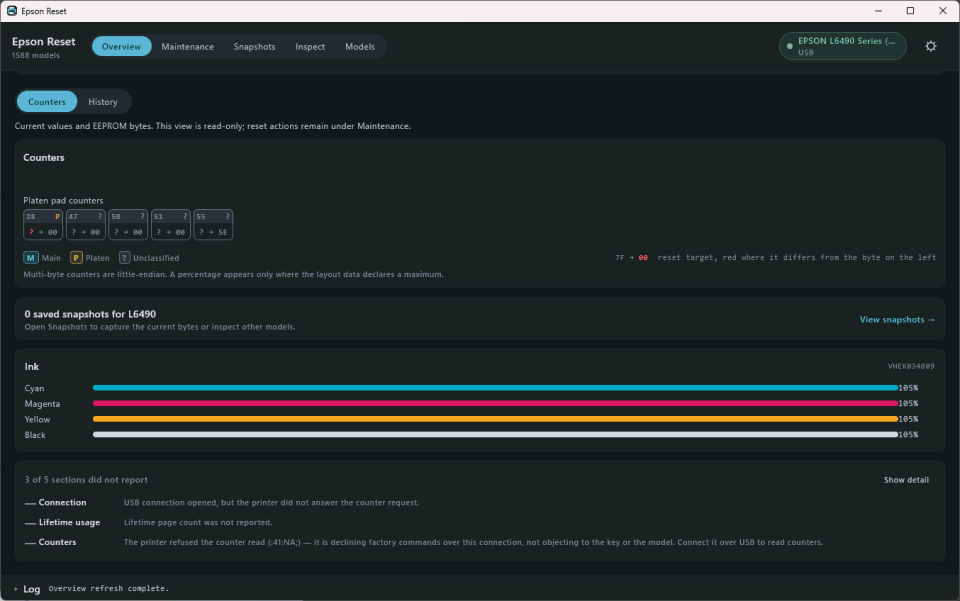
The only native GUI for Windows, macOS and Linux.
- Interface
- GUI
- Models
- ~1,588
- License
- AGPL-3.0
- Platforms
If you are not sure which to pick, download Epson Reset: a graphical app, no terminal. Alternatives for specific cases are below.
Ready-to-install app. Pick your system, open it and follow the window. Compatible with more than 1,500 models over USB or Wi‑Fi, and writes nothing until you confirm.
Published by its author (yusnel-rojas) on GitHub, not by PadReset. Windows SmartScreen may ask you to click “More info → Run anyway” (the installer has no paid code-signing cert). On macOS, the .dmg has been signed and notarized by Apple since v1.0.3, so it opens with a double click. The .dmg is Apple Silicon only; Intel Macs should use another option in the table.

An ez-reset port over USB OTG: read status, ink and waste counters, and reset them. Android 7 or later. Still in progress; check your model before writing.
Source code and other versions
Published by tekware-it on GitHub, not by PadReset. Requires manual installation (sideloading, not on Google Play) and a USB OTG cable.

The same tools as the table, on cards: filter by operating system and slide through the gallery. The comparison table below is still available with every detail.
The only native GUI for Windows, macOS and Linux.
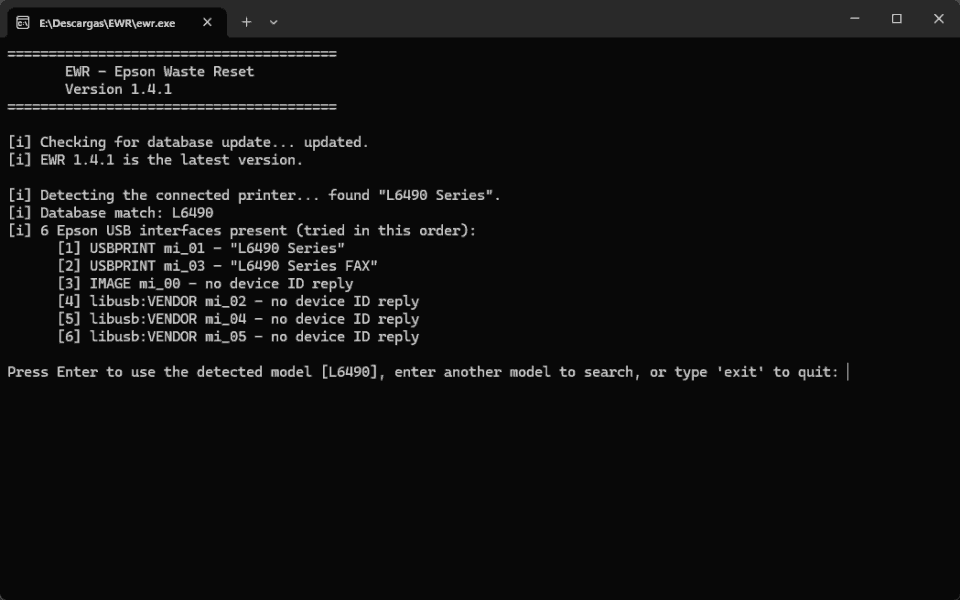
The engine behind PadReset's AI agent harness.

Dependency-free Python CLI: also works over Wi‑Fi (SNMP).

The most battle-tested on macOS; useful on Intel Macs and on EcoTank with error E‑11.

The original database the others derive from.
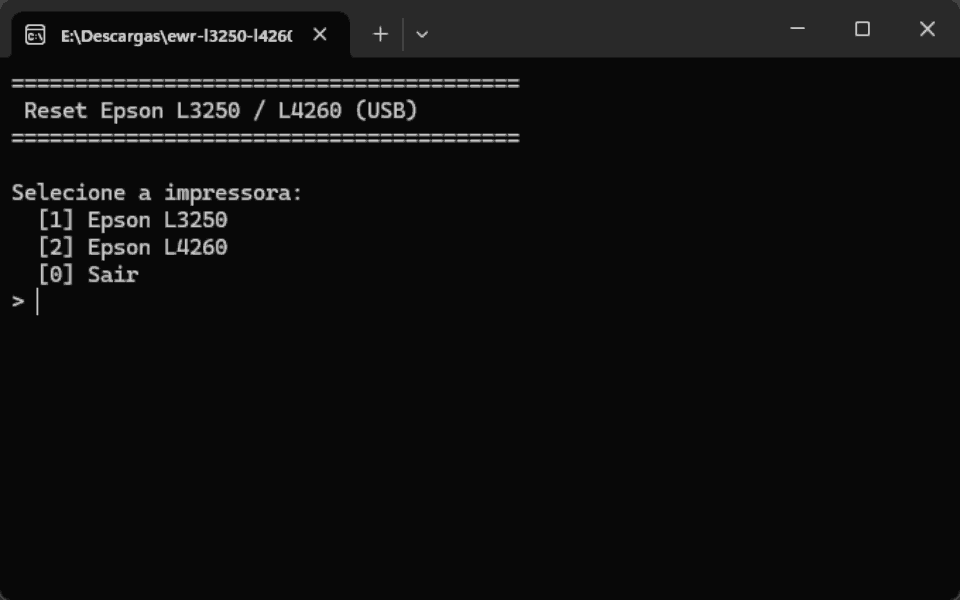
epson-l3250-l4260-reset (agemilsonn)
Check VirusTotal reportv1.0.0Validated on real hardware, in a small install-free binary.
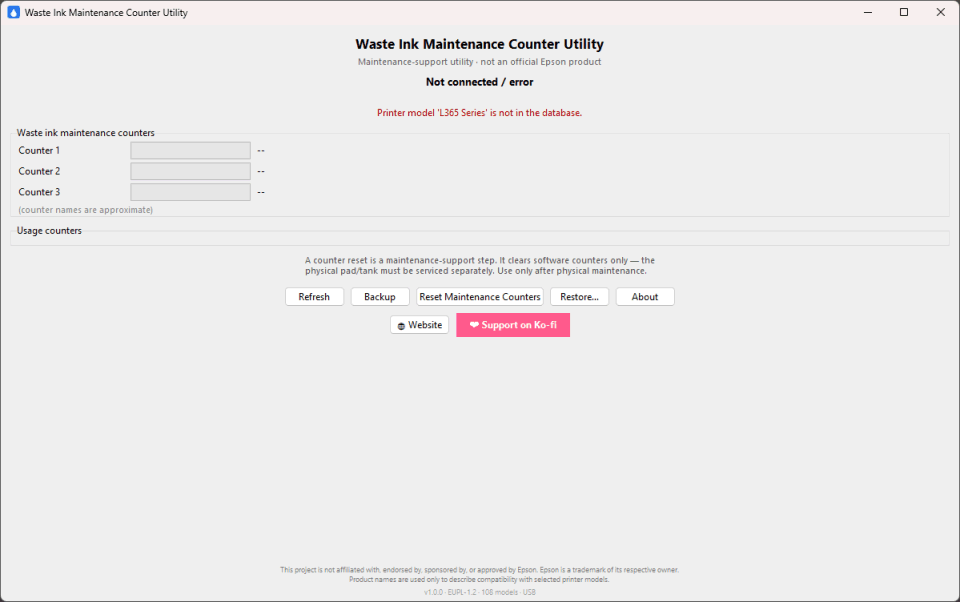
MaintenanceCounterUtility (devmosman)
Check VirusTotal reportv1.0.0Portable, with double confirmation and automatic backup.
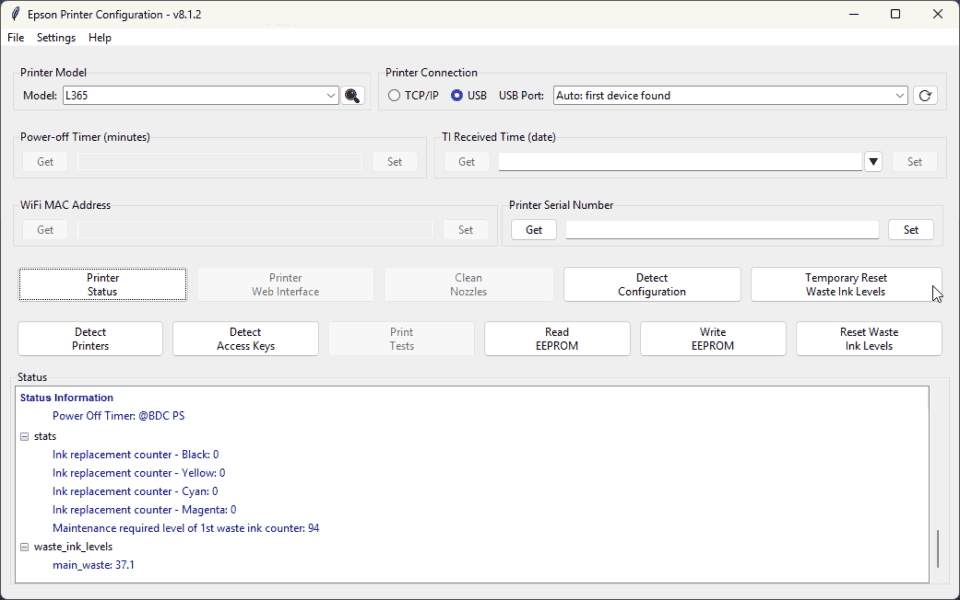
Reads and writes EEPROM over the network (SNMP), with XML/TOML profiles.
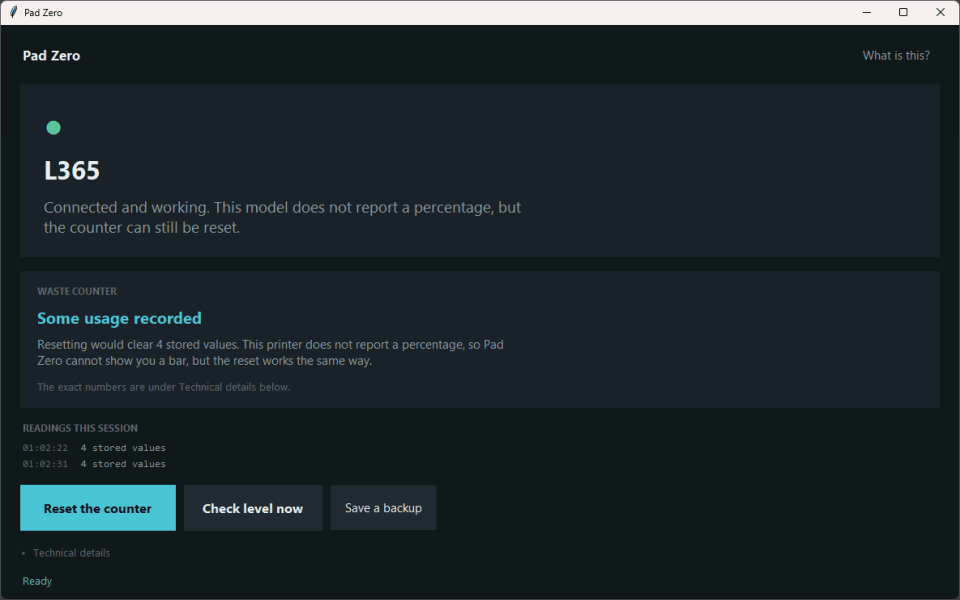
Talks to the USB device directly, not through the WIC channel.
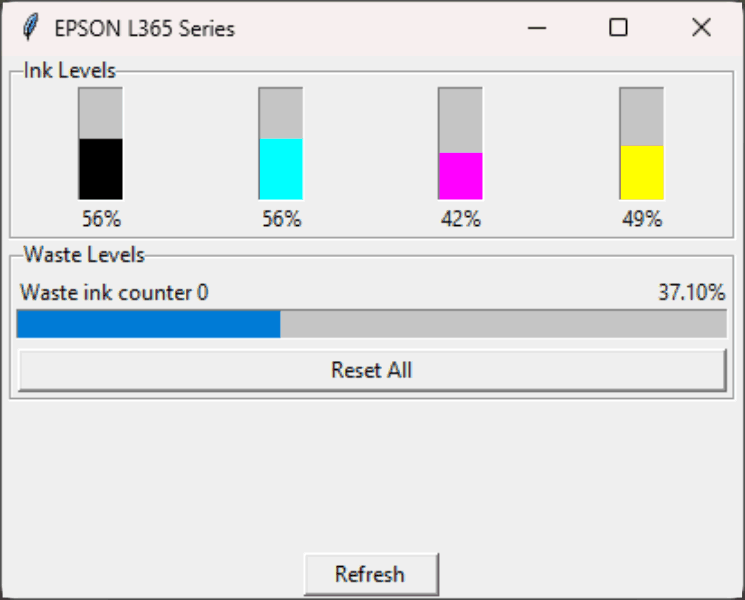
The only digitally signed binary: no Windows warnings.
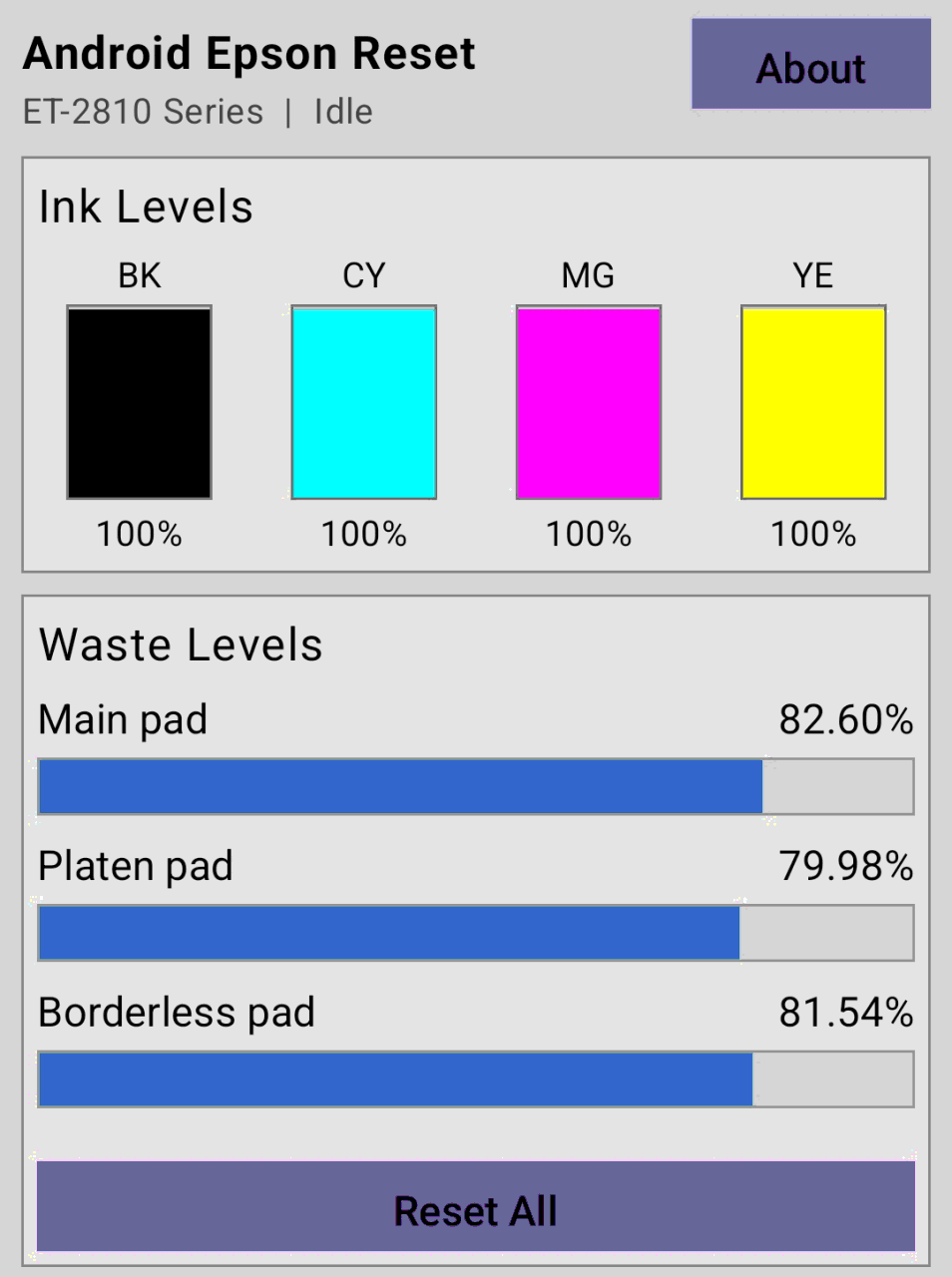
Android Epson Reset (tekware-it)
Check VirusTotal reportv0.1.3The only one for Android, over USB OTG.
1 of 11
General use on Windows, small portable exe
Portable GUI with double confirmation and automatic backup. Limited coverage (~108 models, mostly L-series and EcoTank).
Windows over USB: if Yusnel does not detect the printer, or SmartScreen is in the way
Author-signed exe (fewer Windows warnings). USB only — not Wi‑Fi, Mac or Linux. Ships definitions for many models; most are untested on hardware.
Windows over USB: if other tools cannot read the counter
Portable window (zip/exe). Talks over the USB device interface, not the WIC channel. ~1,423 models; few verified on hardware. Windows and USB only.
Widest coverage or Wi-Fi-connected printer (command line)
Dependency-free pure Python CLI (~1,271 models): read and reset over SNMP on the network or USB using the installed driver.
Intel macOS, or EcoTank E‑11 path (well-tested)
The option most thoroughly tested on macOS through Epson's own USB interface.
Only Epson L3250 / L4260 on Windows
Profile validated on real hardware; ready-made zip on GitHub Releases.
The date on each row is when PadReset last checked that link: for tools with a published hash, that it still serves the pinned version and that those bytes have the hash we publish; for tools installed from source, that the link still points to the right project. It is not the date of the original release, nor of the VirusTotal report: that report is theirs, it changes on its own, and this site neither reviews nor republishes it, so the verdict you see today may not be the one from that day.
If you downloaded EWR before 2026-09-29 (v1.3.x or v1.4.0), do not use it for another reset: those versions send the printer a firmware-recovery command that leaves it in firmware-update mode. v1.4.1 no longer sends it.
The site publishes SHA256SUMS.txt with the hash of every pinned binary. We recommend checking the one you just downloaded before running anything:
Get-FileHash ".\tool.exe" -Algorithm SHA256The oldest of these hashes was checked on 2026-09-27; every row of the table above carries its own date, and the whole set is re-checked every week.
584f2ce334829305b4696004fb1bd78fd1b03538ff85b6ee45d6c8cb79f21591  EWR-v1.4.1-linux.tar.gz
1a9930f9079b0656b681cb6b9f076ef6f0937b25fd660964ca4a8efe99fc9a7e  EWR-v1.4.1-macos-arm64.tar.gz
f4112e2b20c595b7d489b22d4872a762427dd09dcba748bf1a8321d40db934aa  EWR-v1.4.1-win.zip
a0fc46bddf252beb4b17e0010c5aa6629685ae6f98ba731ec300a7f936dbe2d6  EpsonReset-macos-arm64.dmg
095ee511cf2cb3bfedd663479213ea73f568339ca59e196e25001825ac8c7bd1  EpsonReset-windows-x64.exe
cf22b5f4cc4fe84a37ae4225f0c36a76cd5ece324dad944e044b470941a904c8  EpsonReset-x86_64.AppImage
af739c36f7120facfca52fc0feaa3a60fb9ad089483ba0932b6f13aa89ffbc20  MaintenanceCounterUtility-v1.0.0.zip
71b666a849b6d62526787f2112d000d804a1d7e5c469a35d0a7d45c1a96f516d  PadZero.zip
86ce0e97f29acabdd2e46de98fd0dae785170a50d8dd68c28fc1fa7e9cd5ec57  android-epson-reset-v0.1.3.apk
13aa9312234d31c62e9c65dc912ca8dd71a22ba45eb343ca38ffb12eb2bb876a  epson_print_conf.zip
04de11cedc3b8b47ef9cf93268f58783d914e76b53842875b2514e6af5396162  ewr-l3250-l4260.exe
6556a058a8ca8f3ff668d26e5a831060aed2df557cd993fa1afb9516905d1e28  ez-reset.exe
Unsigned binaries may trigger SmartScreen (“Windows protected your PC”). This is common for free software without paid certificates: verify the hash or build from source.
“Check VirusTotal report” opens the public VirusTotal report for each file, looked up by its SHA-256. That report is VirusTotal's, not ours, and it changes: engines add signatures over time, so the verdict you see today may not be the one that was there when we checked the download. That is why what we publish is not their verdict but the file's SHA-256: the hash does not change, and it is what ties the report to the file you download. Compare the hash of what you downloaded with the one on this page before running it; if they differ, it is not the file we checked. One or a few warnings on an unsigned exe are usually heuristics, not proof of malware. If Microsoft Defender quarantines or deletes the file, do not run it: try another version of the program or build it from source.
And there is an even stronger check, for the projects that publish one: since v1.4.1, every EWR archive carries a build-provenance attestation, a signed statement (GitHub Artifact Attestations, with Sigstore underneath) that the file is byte for byte what the repository's release workflow built, from the tag it names; since v1.0.3, all seven files of the Epson Reset release carry one too. Verify them with the GitHub CLI:
gh attestation verify EWR-v1.4.1-win.zip -R RxNaison/Epson-Waste-Reset
gh attestation verify EpsonReset-windows-x64.exe -R yusnel-rojas/epson-reset
“Verification succeeded” means the file you downloaded is the one that repository's release workflow built. A modified file fails with the same HTTP 404: Not Found error as a release older than the first attested one: there is simply no attestation for its hash, and that error cannot tell “old” from “tampered”. This is not code signing: Windows may still warn that the app is unrecognized. The hash in SHA256SUMS.txt remains the reference this site publishes; the attestation is one more piece of proof given by the upstream project.
If you would rather hand the job to an agent, we publish a read-only harness: it identifies the printer, reads the counters, backs up the EEPROM, simulates the write and leaves you the final command to run yourself. It is not the phase 2 unified tool, and it never writes to the printer.
curl -fsSLO https://padreset.com/agent/ewr-safe.mjs
curl -fsSLO https://padreset.com/agent/ewr-safe.mjs.sha256
It is a single Node file, no install, and it needs EWR installed (it is in the table above): the harness does not talk to the printer, EWR does.
We are evaluating an official PadReset tool that unifies the protocols and databases of these projects into a single app. Meanwhile, those are the reliable free options available today.